Raspberry pi direct ethernet access
Some days before my last travel to Libreville in Gabon I prepared my laptop and my RPI for working on my projects. The problem was that I did not have any router with dhcp server like at home to access RPi by the local network during this period. So I needed a solution to access the Pi via SSH with direct ethernet connexion. Before travel I made some searches on Google with key words raspberry pi direct ethernet and I found all the necessary for solving this problem.
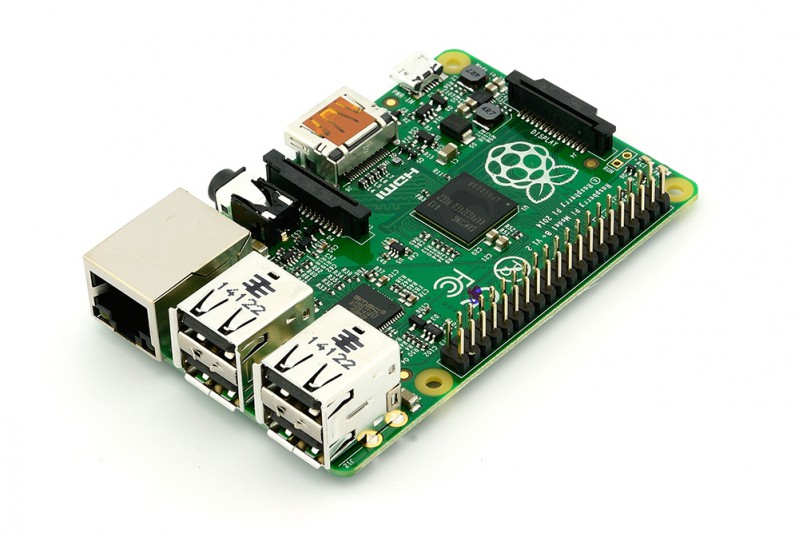
Step 1 – Setup direct ethernet access
There are many options to achieve RPI direct eth connect.
- Option 1 : Use RPi default ip address
Give an ip address to laptop in the same range of RPI default IP 169.254.208.154.
# Set laptop ip
$ sudo ifonconfig eth0 169.254.208.154
- Option 2 : Set RPi ip on boot
Insert Rpi SD card into laptop card reader and edit file /boot/cmdline.txt
# Backup cmdline file
$ cp cmdline.txt cmdline.normal.txt

# Edit the file
$ nano cmdline.txt

ip=169.254.0.2
Setup the computer ip
# Set laptop ip
$ sudo ifonconfig eth0 169.254.0.3
A this step we can SSH to RPi from the laptop through th ethernet cable.
Step 2 - Ip tables forwoarding
Configure laptop firewall to give Rpi acces to wifi internet through the et0 interface
sudo iptables -A FORWARD -o wlan0 -i eth0 -s 192.168.1.0/24 -m conntrack --ctstate NEW -j ACCEPT
sudo iptables -A FORWARD -m conntrack --ctstate ESTABLISHED,RELATED -j ACCEPT
sudo iptables -A POSTROUTING -t nat -j MASQUERADE

sudo sysctl net.ipv4.ip_forward = 1
Step 3 - Running a remote GUI
$ ssh -X <ip address of Rpi> -l <username on Rpi>

#If that gives you errors then try this:
$ ssh -Y <ip address of Rpi> -l <username on Rpi>

#You can launch an entire desktop (only tested on mac) by typing
$ startlxde
